NewVrse
Facilitating easy access for students to discover and join both clubs and events.
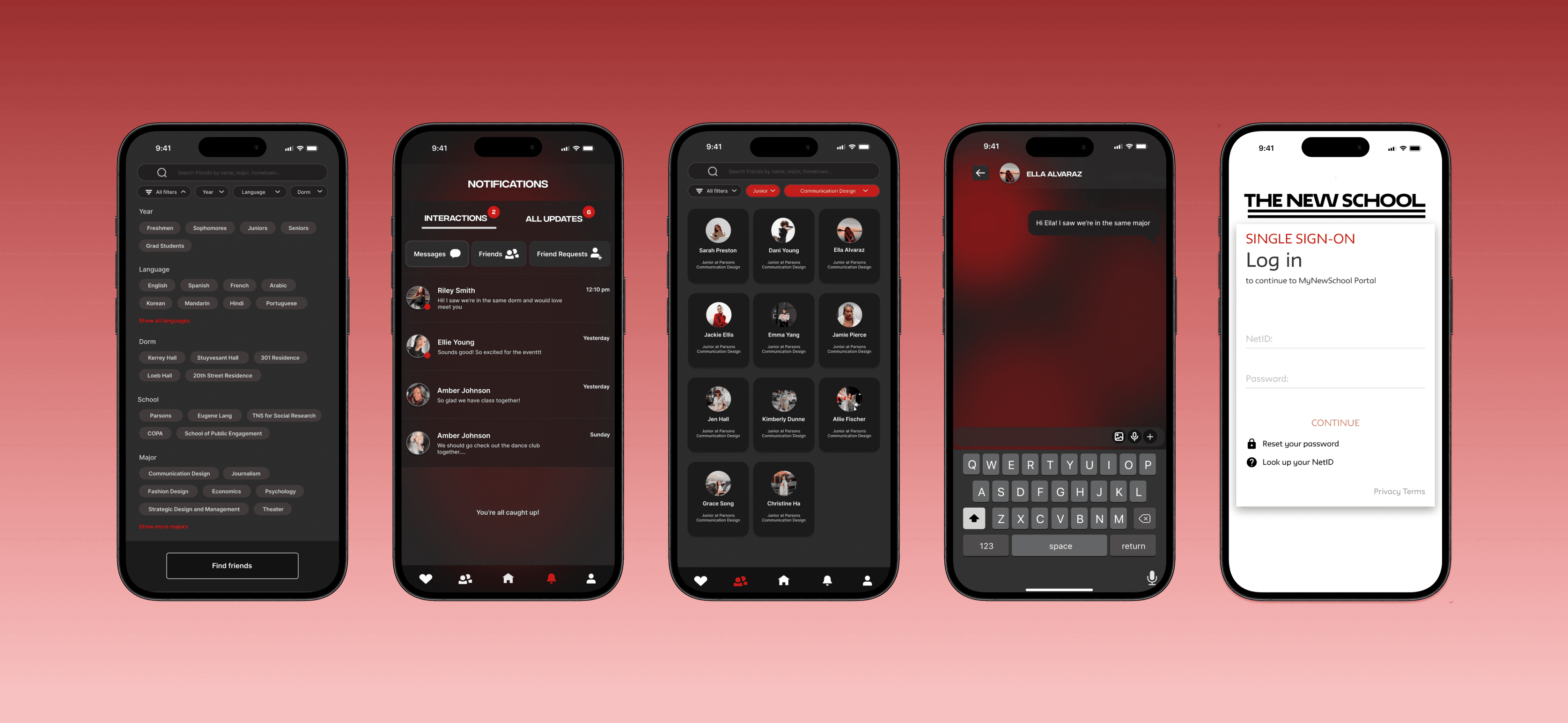
PROCESS HIGHLIGHTS
Design challenge and overview of responsibilities
Challenge
At the New School, student engagement in activities, clubs, and events is low due to ineffective communication. Information is scattered across multiple platforms, with static user experiences making it difficult for students to quickly and easily discover relevant information. As a result, students often find out about events after they have already occurred, missing valuable opportunities to meet other students, overall leading to a disconnected community.
My Proposal
I proposed a centralized platform that streamlines communication between students and event hosts and enhances the user experience, ensuring timely and efficient access to school news, events, and club activities for all students.
Responsibilities
User Research
Design Thinking
Wireframing
Prototyping
User Testing
Deliverables
User Personas
User Flows
Competitive Audit
Wireframes
High-Fidelity Prototype
Tools
Figma
Overview of Case Study
EMPATHIZE
Conducting User Research
In this first stage of my design process, I empathized with my targeted users so that I could identify and understand the problems and pain points that they were experiencing.
RESEARCH
User Interviews
I ideated questions about community, involvement, and any suggestions for improvement to interview fellow Parsons students that would prompt conversations about each individual's experience and opinions.
Community
How would you describe your overall experience and involvement with student activities at the New School?
What are your thoughts and feelings on the sense of community here?
Would you like to be more involved than you are now? In what way?
Becoming Involved
Can you describe your process of discovering information about student clubs, activities, or events?
What platforms or methods that currently exist
do you use?
Tell me about a time where you missed an event you were interested in due to a lack of information.
Suggested Improvements
What type of communication methods do you prefer to receive updates on about school activities?
What changes or improvements would make it easier for you to discover and get involved in student activities?
RESEARCH
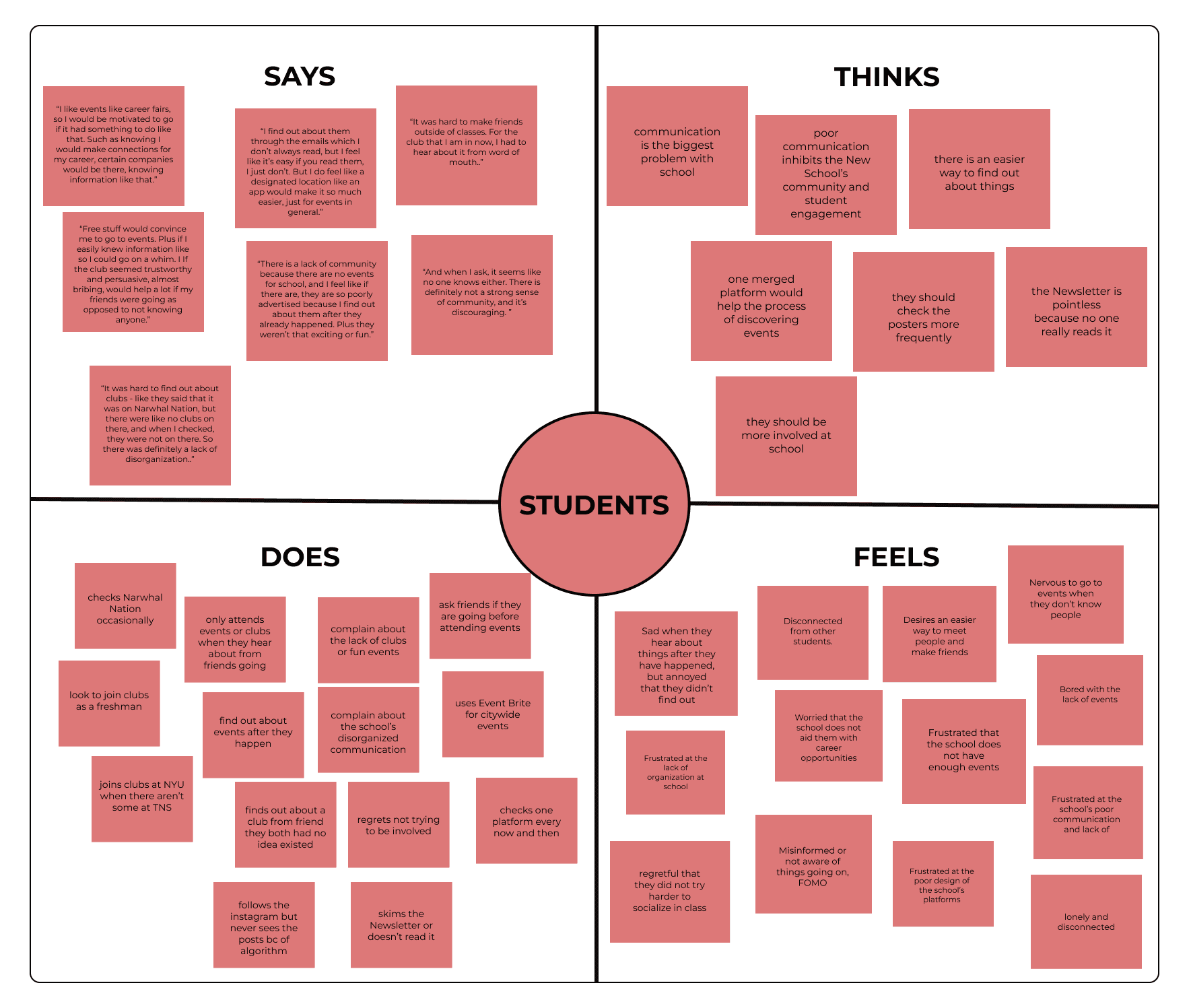
Affinity Mapping
RESEARCH
User Personas
Post my discussions, I utilized my empathy map for the creation of a couple user personas that represented my app's target demographic. This visualization allowed me to maintain users at the center in my design process, highlighting the key primary research takeaways and quotes I obtained from my interviews.
RESEARCH
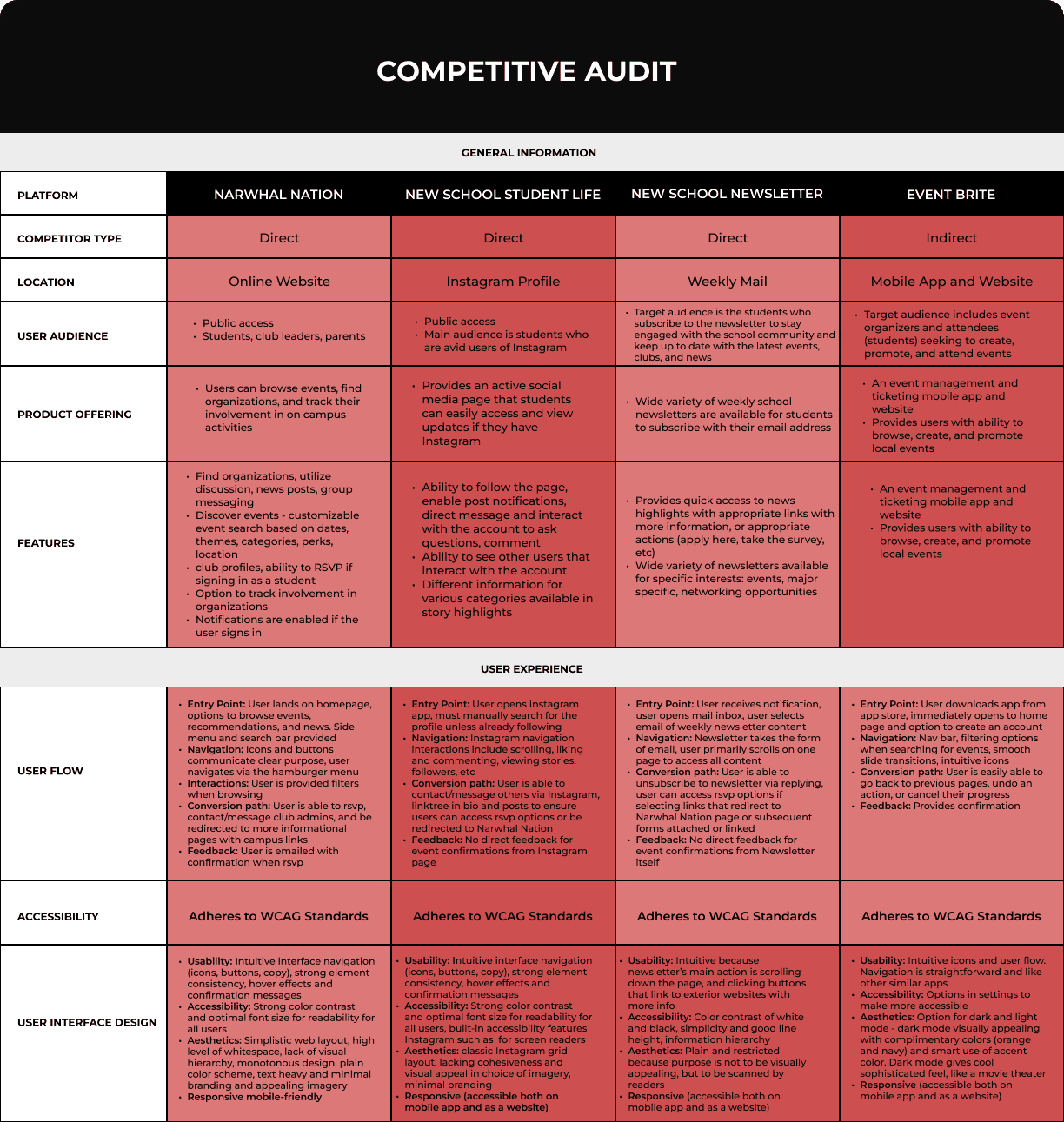
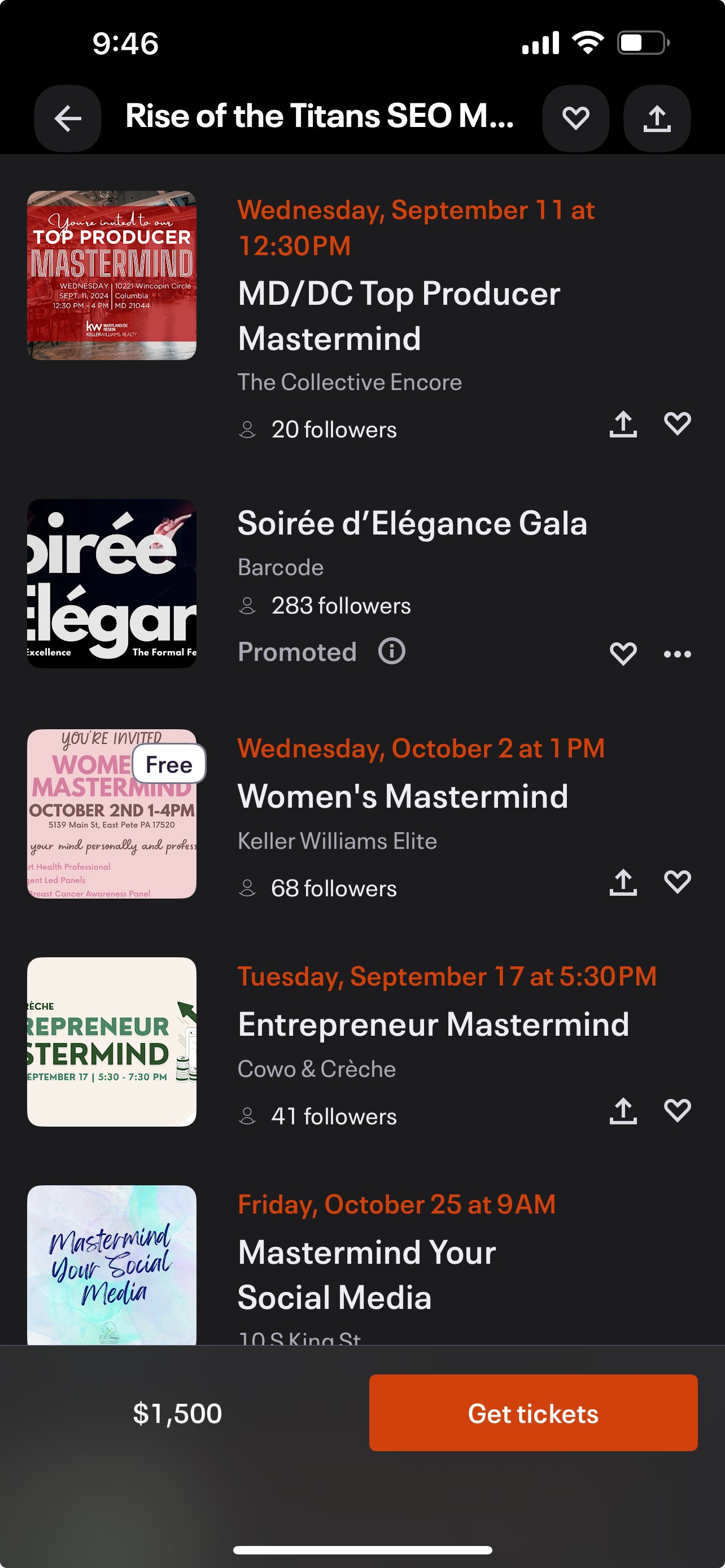
Competitive Audit
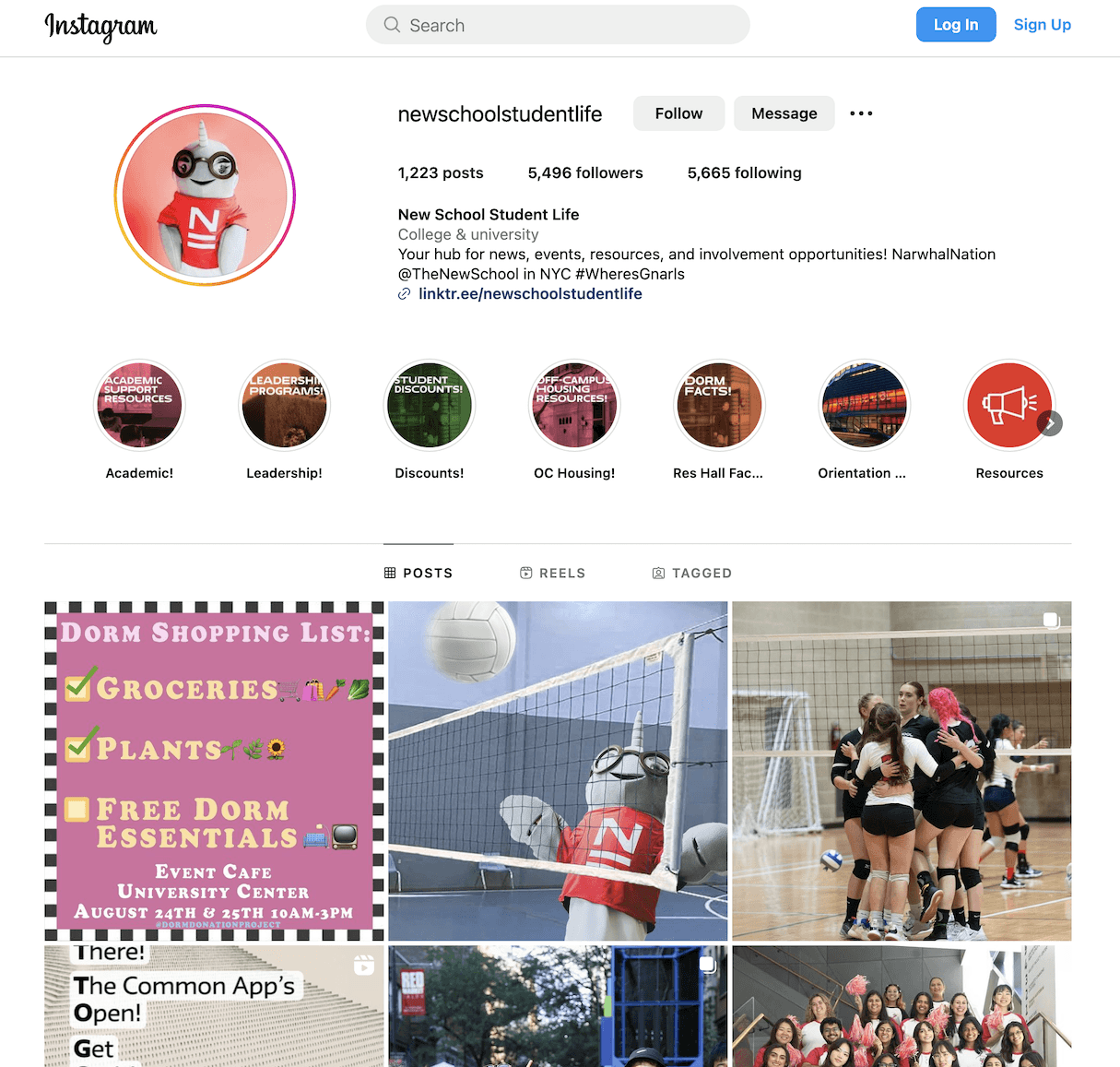
Instagram Profile
Primarily used by students when wanting to find events
or socials outside of school activities and clubs.
Weekly Email
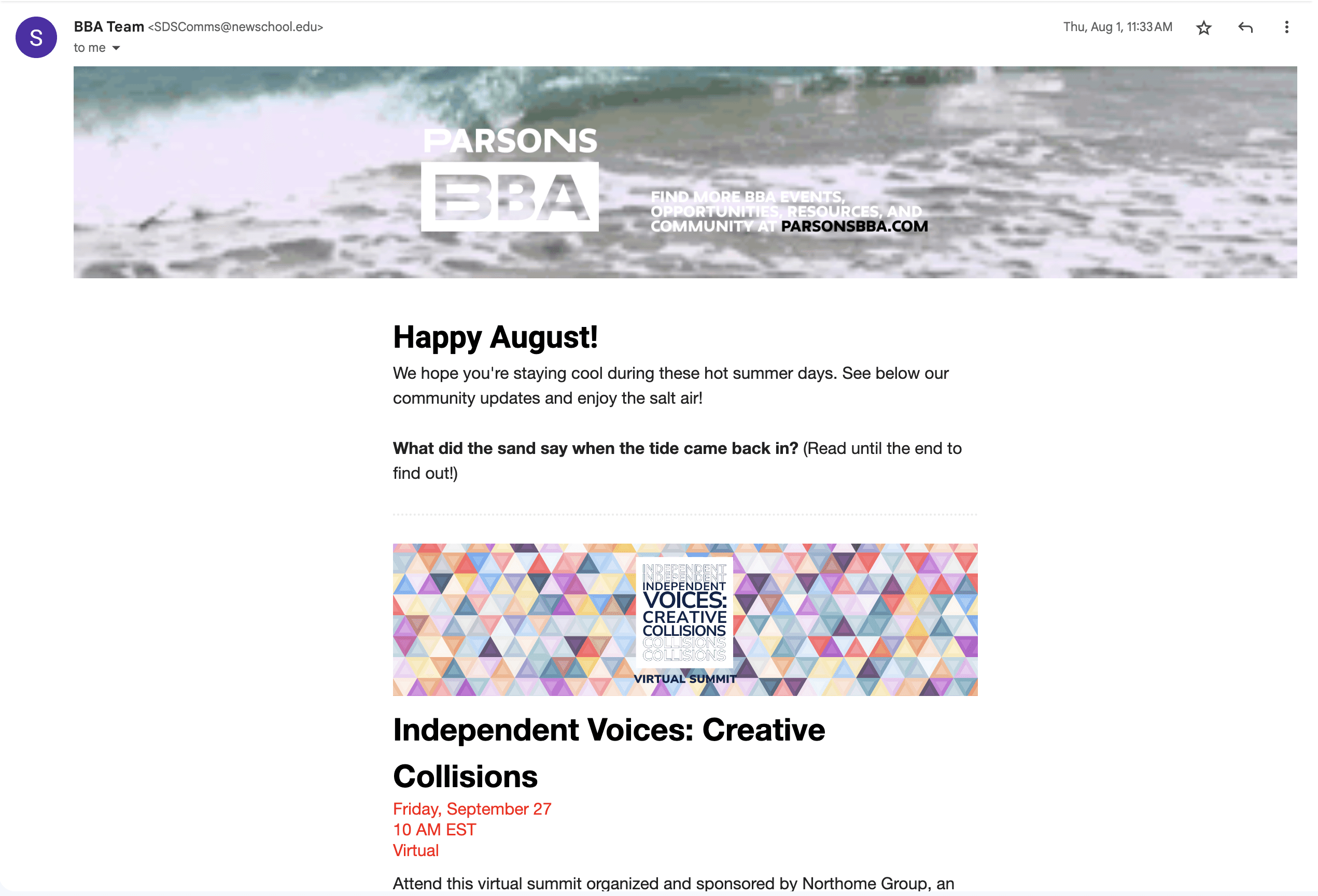
Website
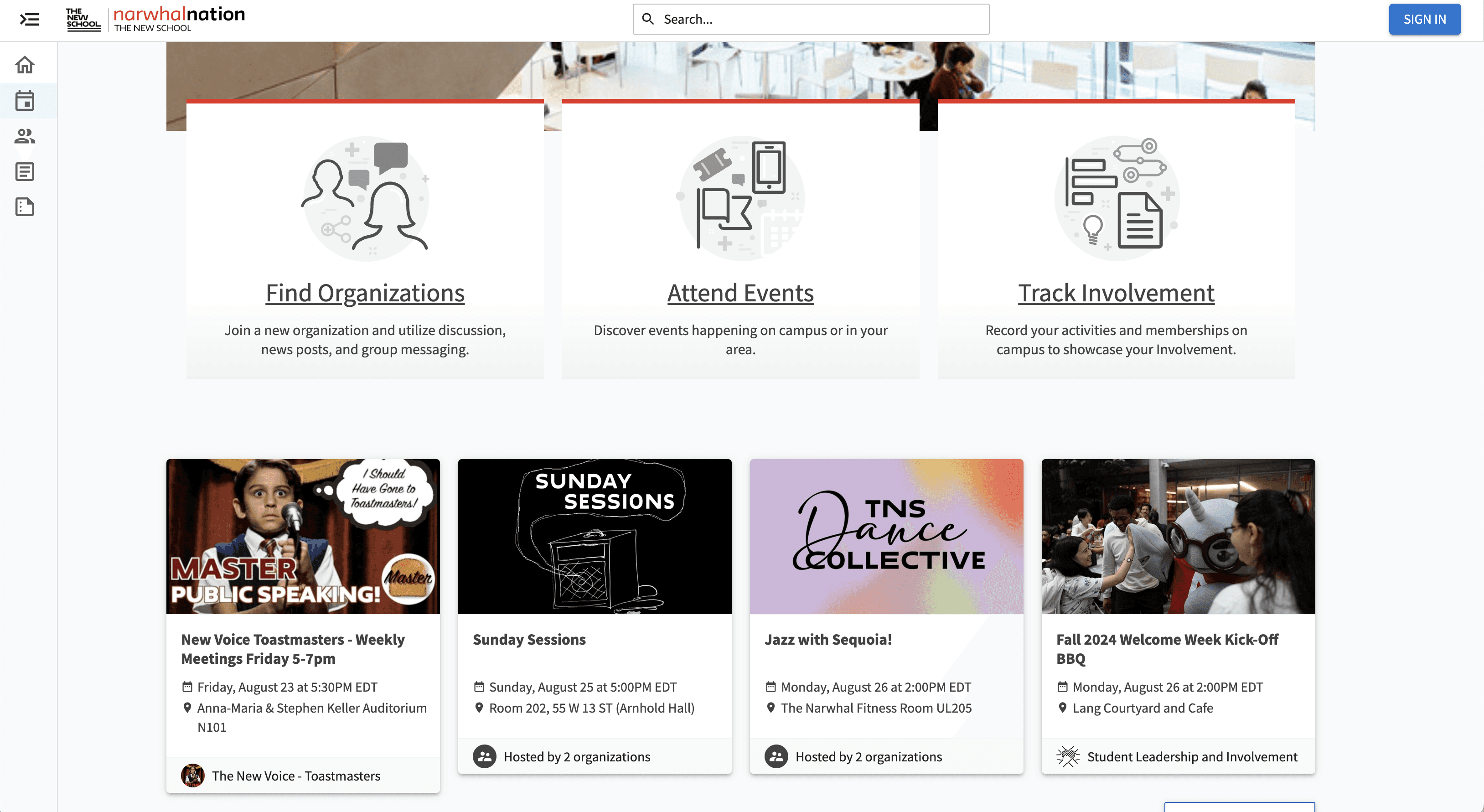
Mobile App and Website
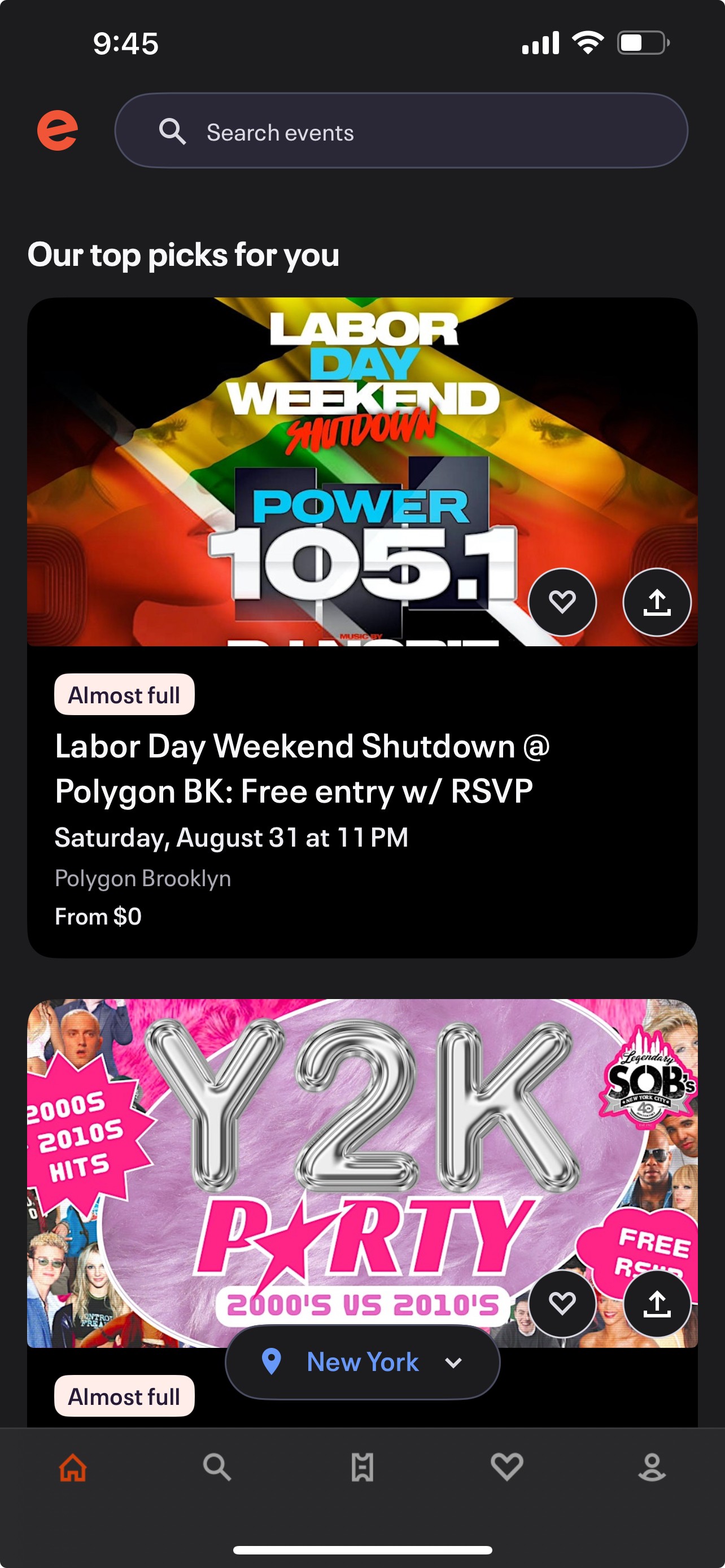
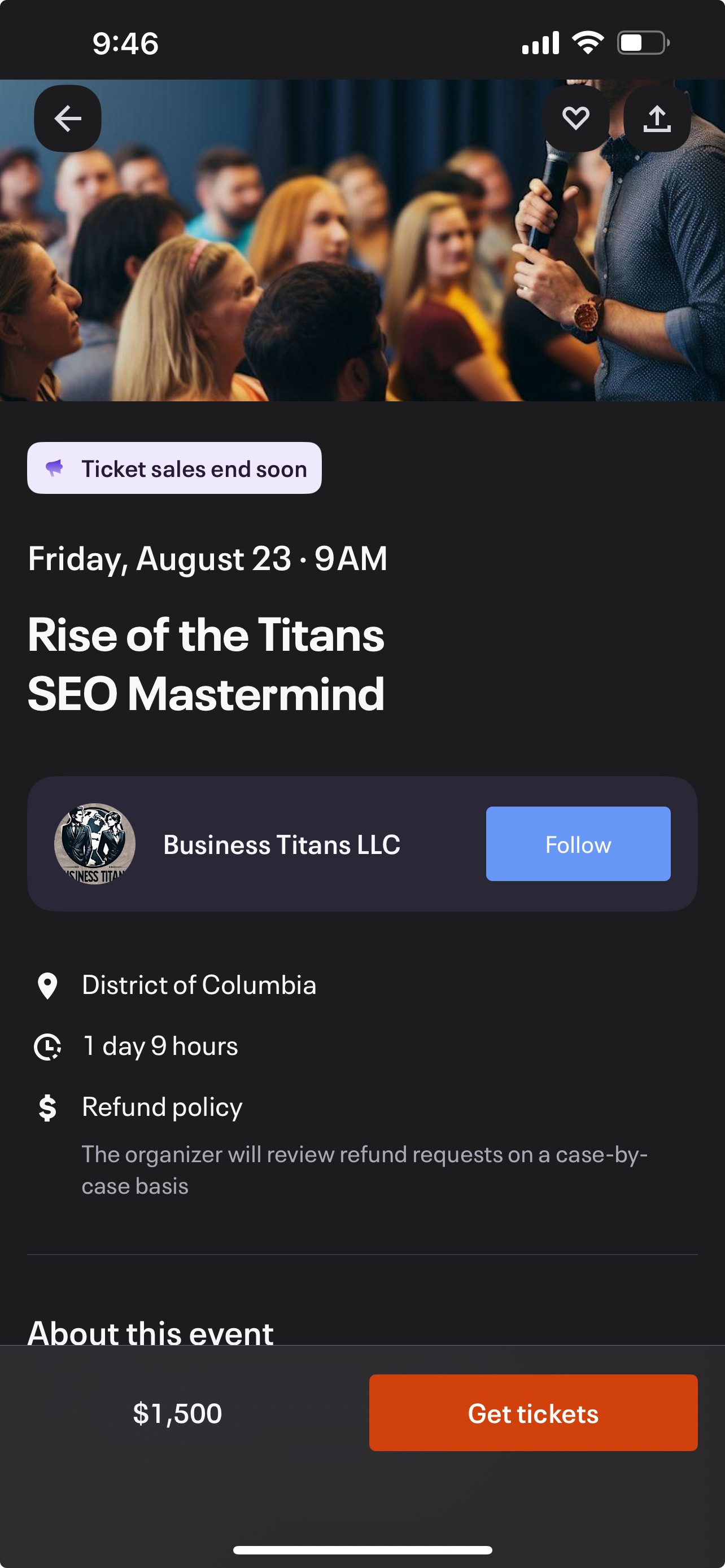
RESEARCH
Competitive Audit Takeaways
I decided to incorporate the best aspects of each platform into my app, while striving to minimize pain points such as accessibility, convenience, and aesthetic. The objective was to create a distinct, aesthetically pleasing interface that included features like filtered search, user profiles, user interactions, event sign-up, and had an smooth user experience.
DEFINE
Identifying a Problem
In this stage of my design process, I synthesized my research findings in order to highlight key insights and an opportunity space. After evaluating my discoveries, I was able to identify a specific problem that students experienced that I could design a solution for.
DEFINE
Insights
Theme 1: Too Many Options - Some students feel that the school lacks school events and opportunities for other students to meet each other because the events that do exist are poorly advertised
Theme 2: Unappealing user interface - Students are not up-to-date on school activities/events because they do not use the existing school platforms due to the unappealing difficulty of navigation
Theme 3: Lack of personalized experience and ability to connect with others and clubs directly
DEFINE
How Might We…
From the research insights, I ideated a core 'How Might We' statement that geared toward my central problem statement. This helped me to reframe my insights into areas of opportunity that tackled a specific design challenge.
How might we centralize reliable, accessible, information and present it in an exciting, aesthetically-pleasing way for students to obtain about school happenings so that we can increase student engagement with school organizations, and with each other?
IDEATE
Developing a Solution
In this stage of my design process, I ideated a solution to the problem in the form of an app. In the development process, I ideated user flows, wireframes, a visual identity, low-fidelity prototypes, and high-fidelity prototypes, all while testing with users and reiterating based on feedback.
IDEATE
Creating User Flows
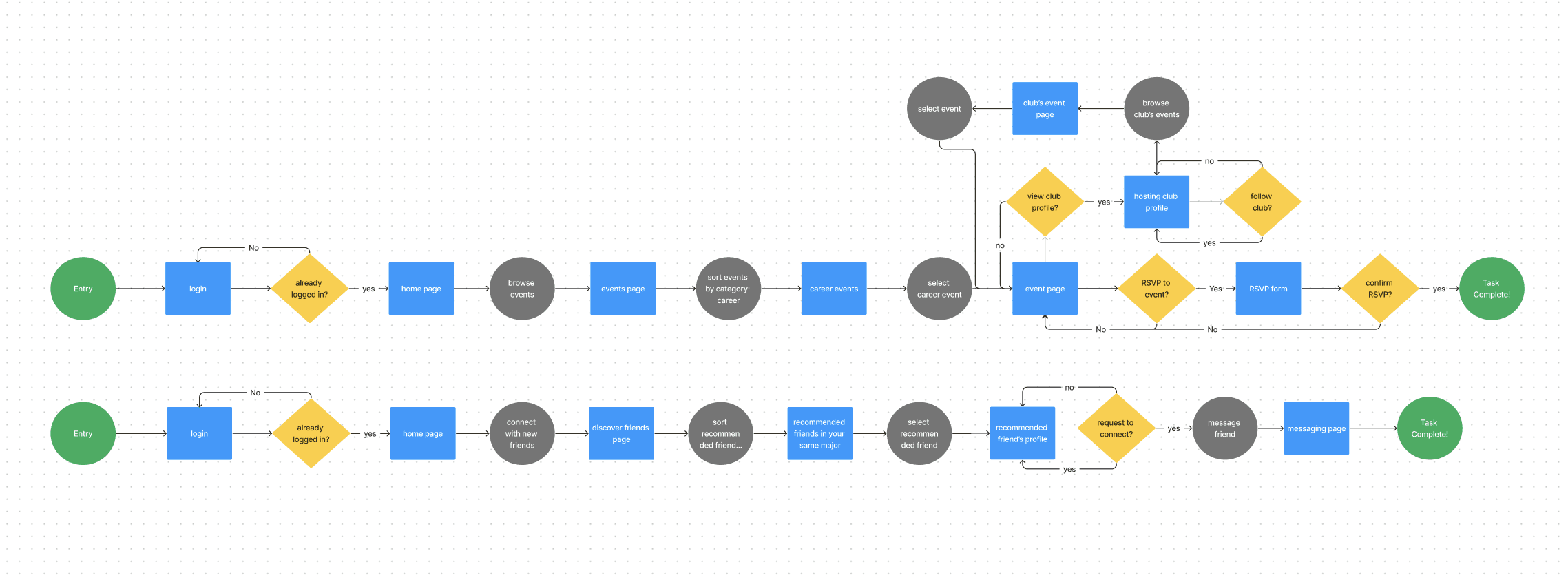
A user flow displays the complete path a user takes when using the product. It lays out the user's movement through the product, mapping out each step that the user takes from entry point to the completion of each task.
Using FigJam, I created two user flows that represented the two main tasks that I wanted the app to service:
Helping students to discover events and connect with clubs
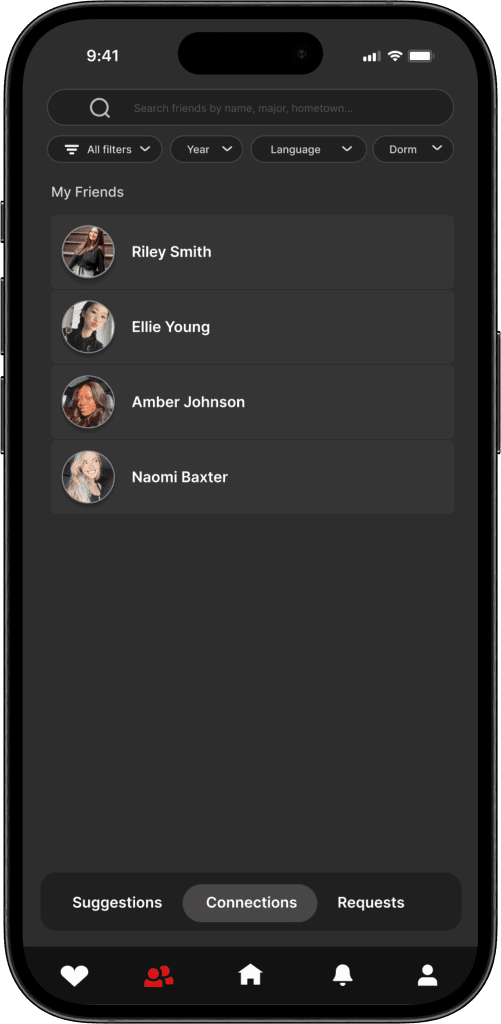
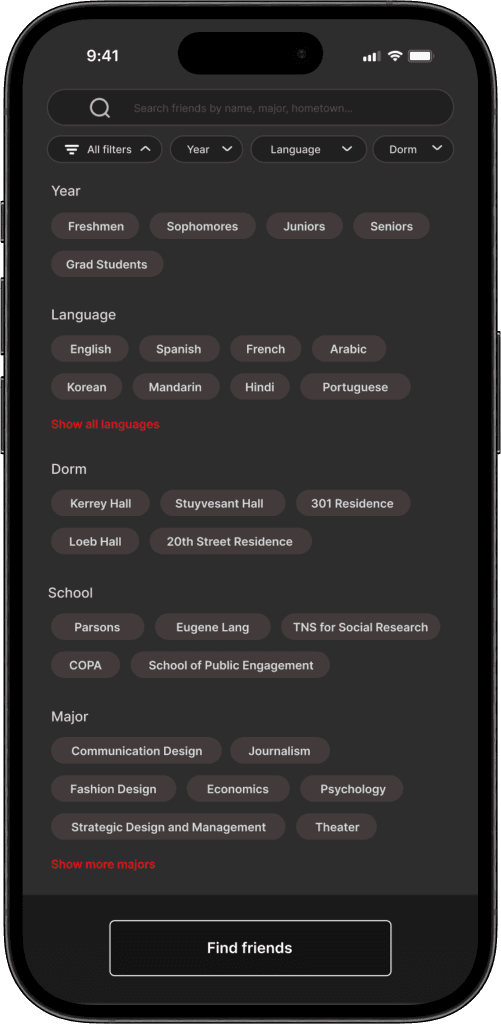
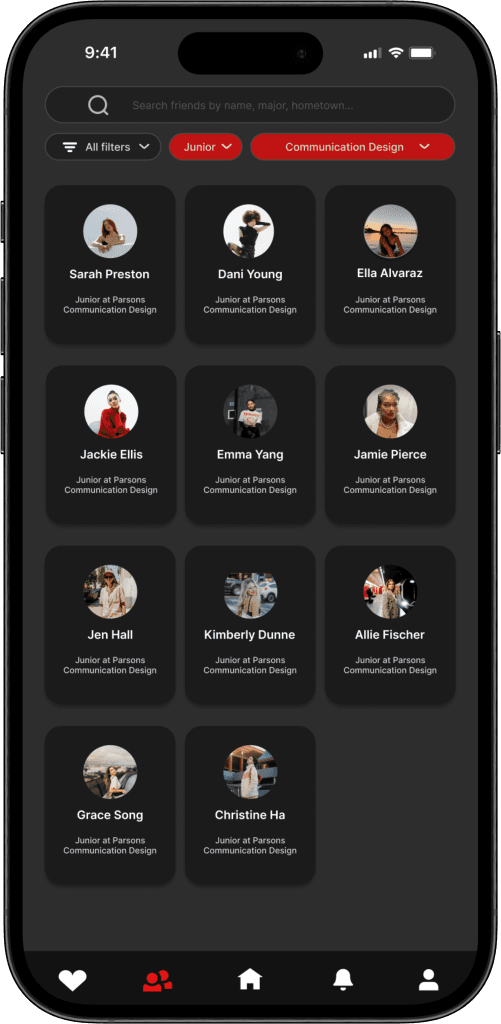
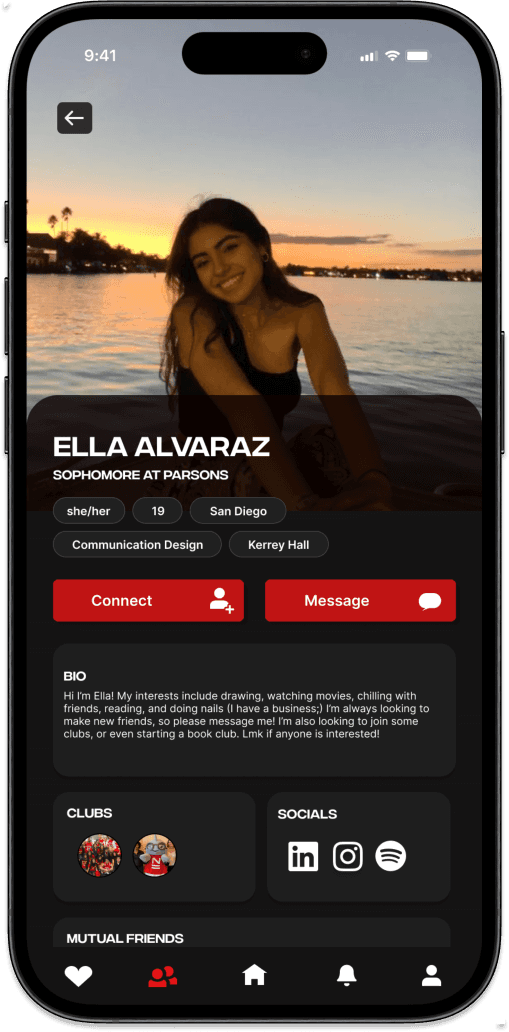
Helping students easily discover and connect with other students who share similar interests, majors, or dorms
IDEATE
Creating a Sitemap
In order to design an app that achieves the tasks of my target users, I studied my user flows to create a sitemap of the information architecture for the app.
Sitemaps help to organize and plan the content and structure of the app. It is a way for me to visualize the user flow and how users may navigate the app's content.
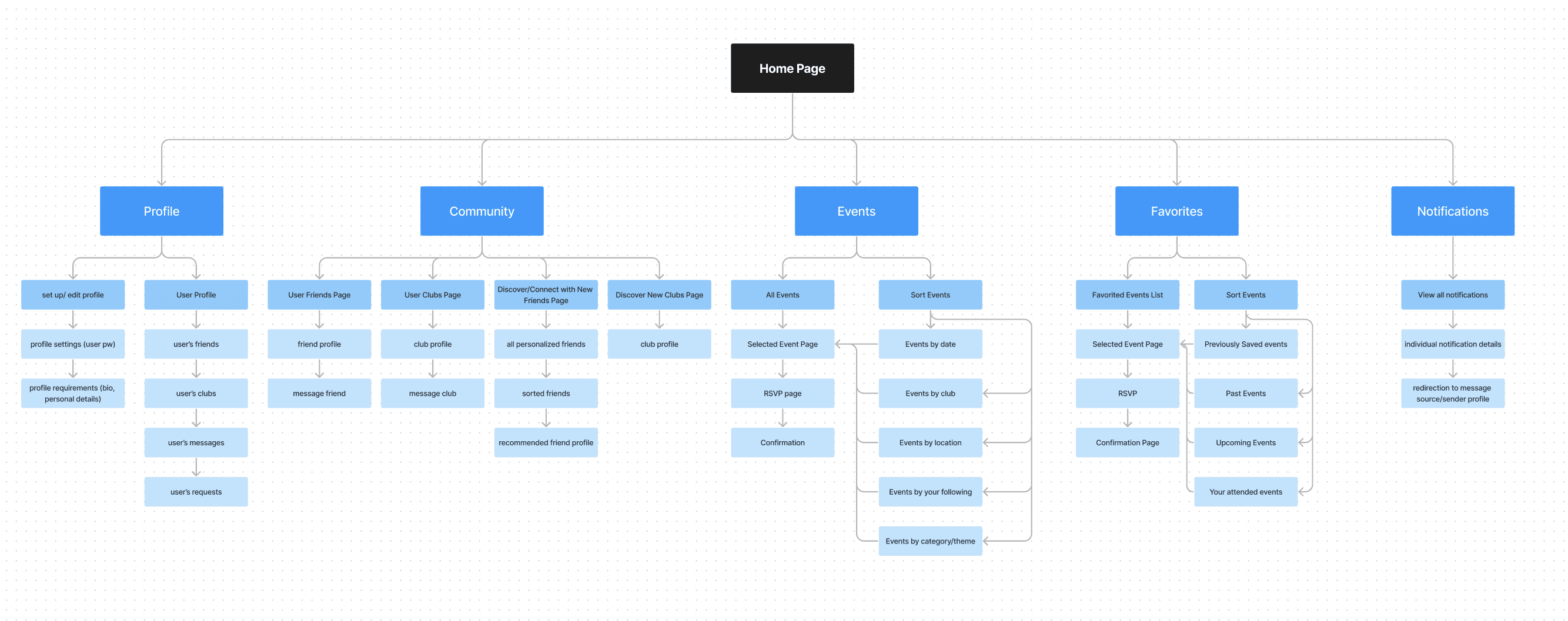
In my sitemap, my main objective was to determine what content would go on each page.
IDEATE
Wireframing
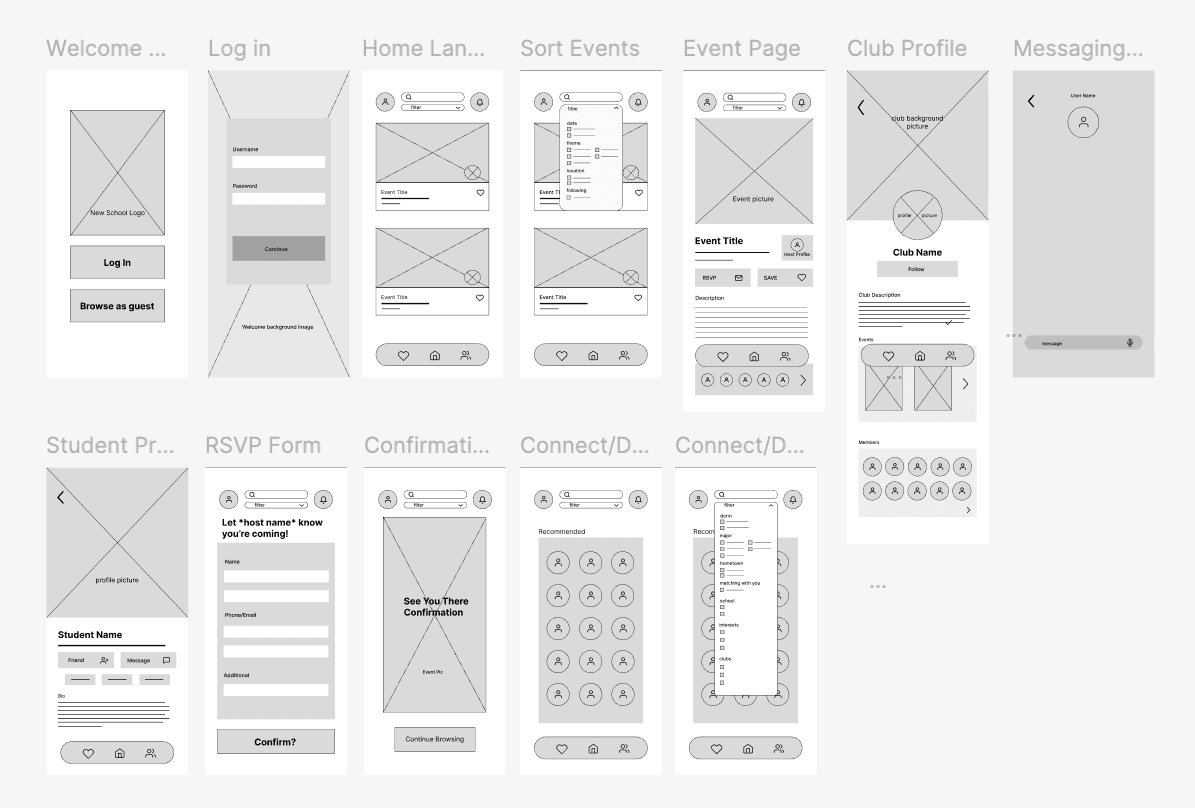
With Figma, I constructed wireframes, experimenting with user interface layouts. Wireframing helped to visualize where information would go, and how the user flow worked.
IDEATE
User Testing a Low-fidelity Prototype
After creating all of my wireframes, I was ready to test it as a low-fidelity prototype. In this first round of user testing, my main objective was to discover pain points or problems that may have existed with my user flow.
Main Takeaways and Feedback
IDEATE
Feedback and Iteration
After my first round of user-testing, I reiterated my designs based on the feedback. I also began to design the user interface of the app to prepare for the second round of testing with a high-fidelity prototype.
FINAL DESIGNS
High-Fidelity Prototype
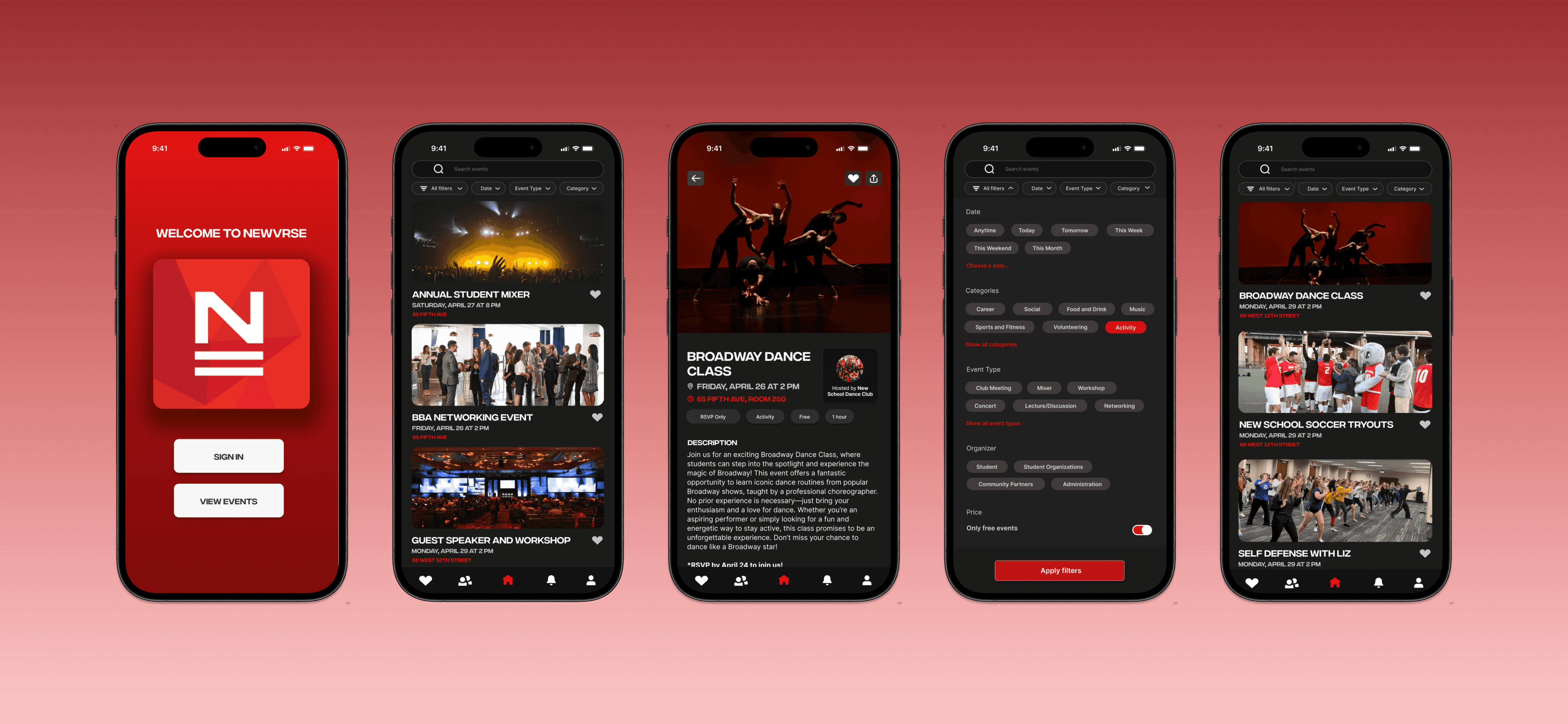
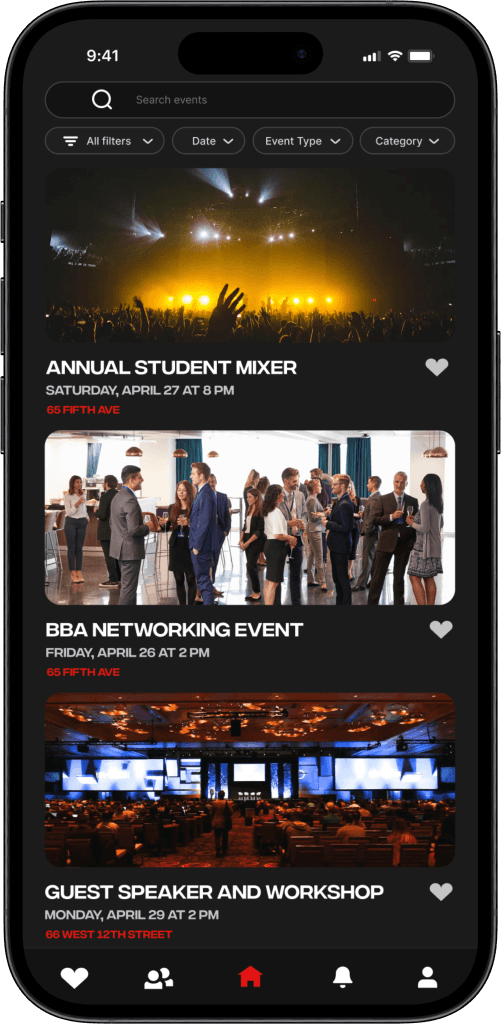
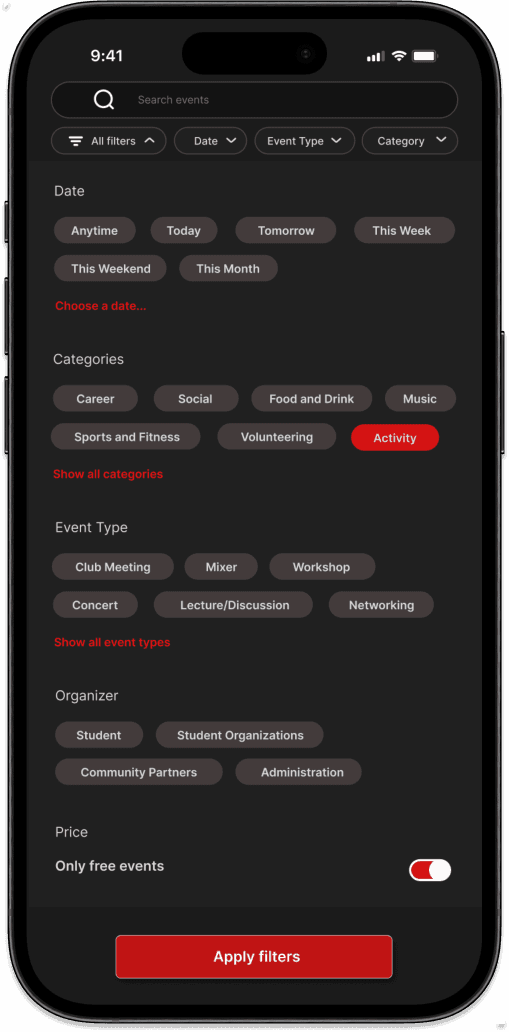
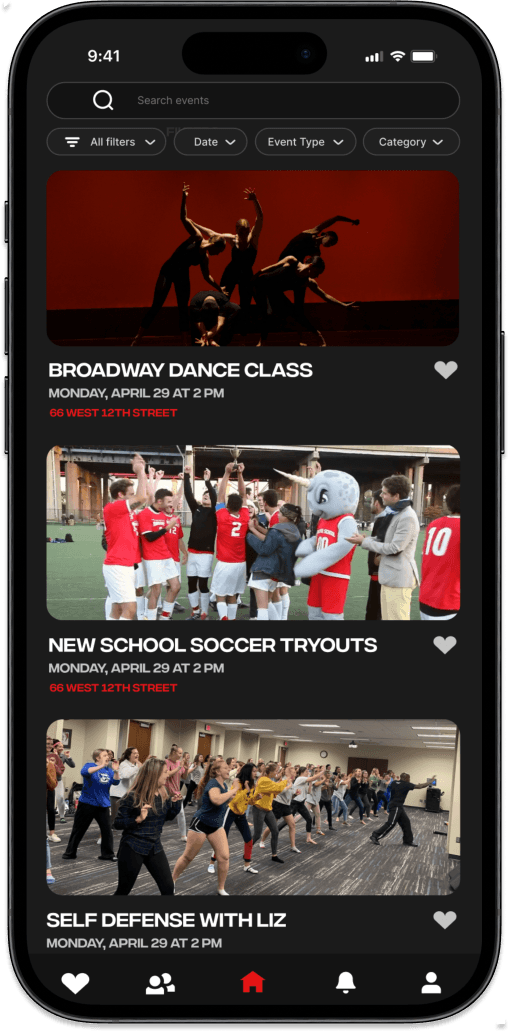
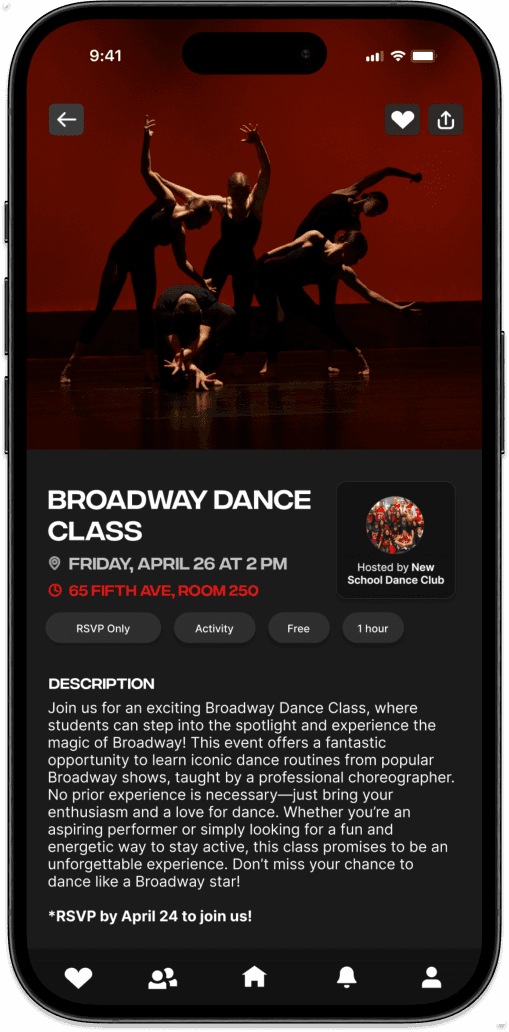
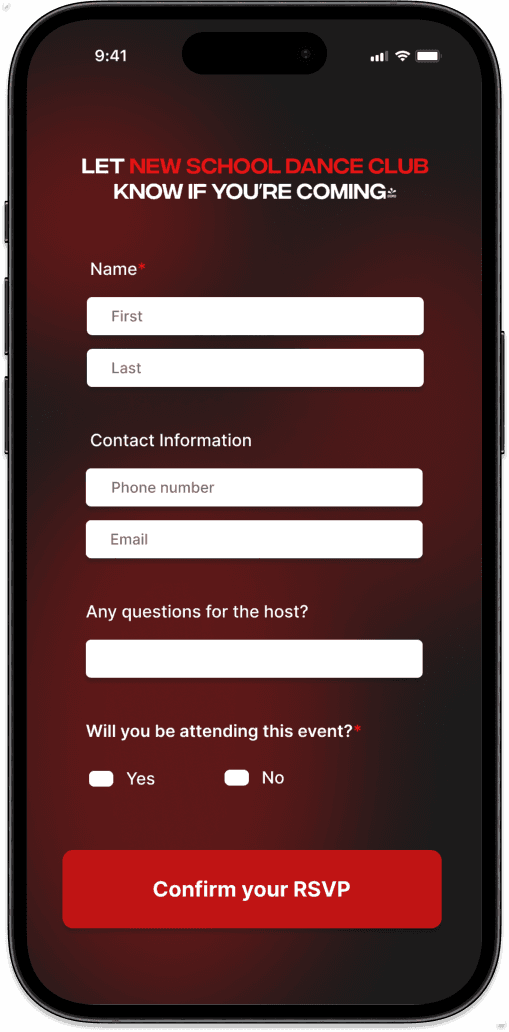
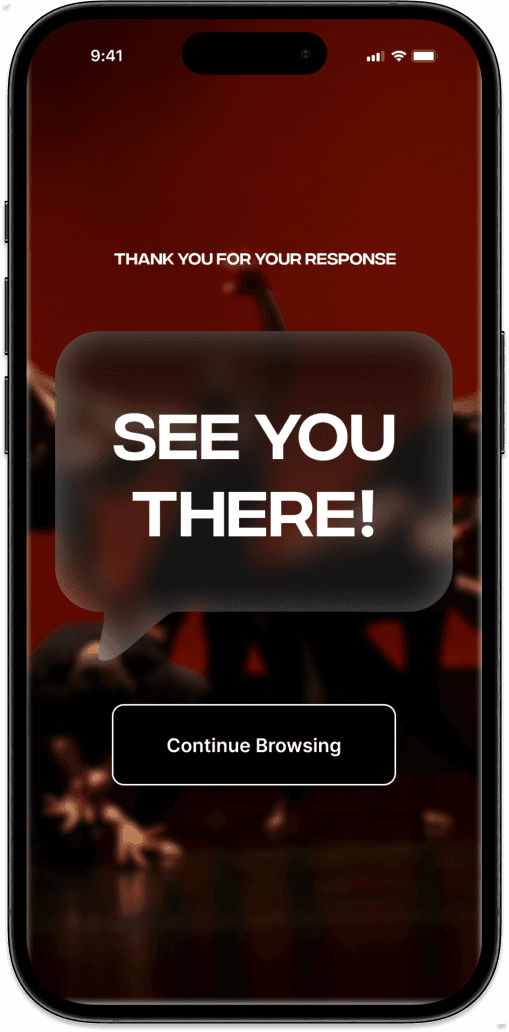
Streamlining the Discovery of Events and Clubs

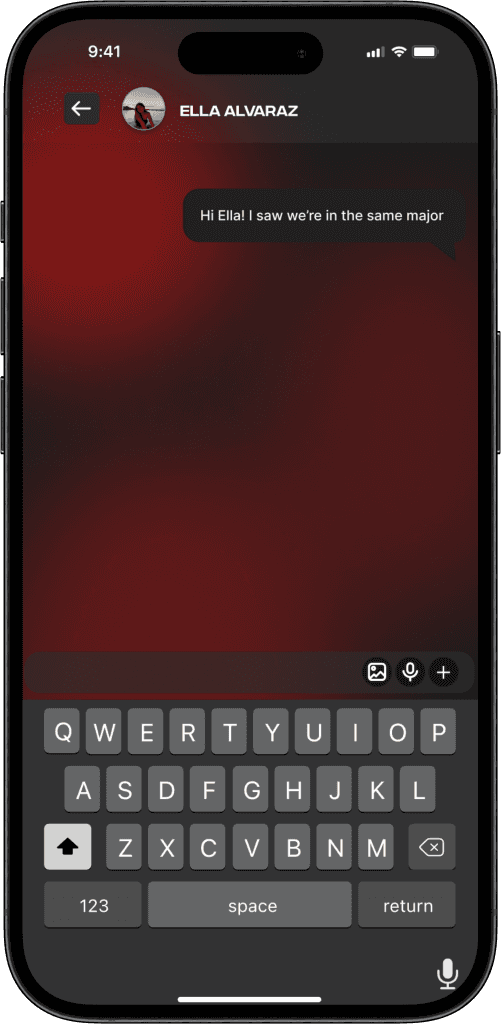
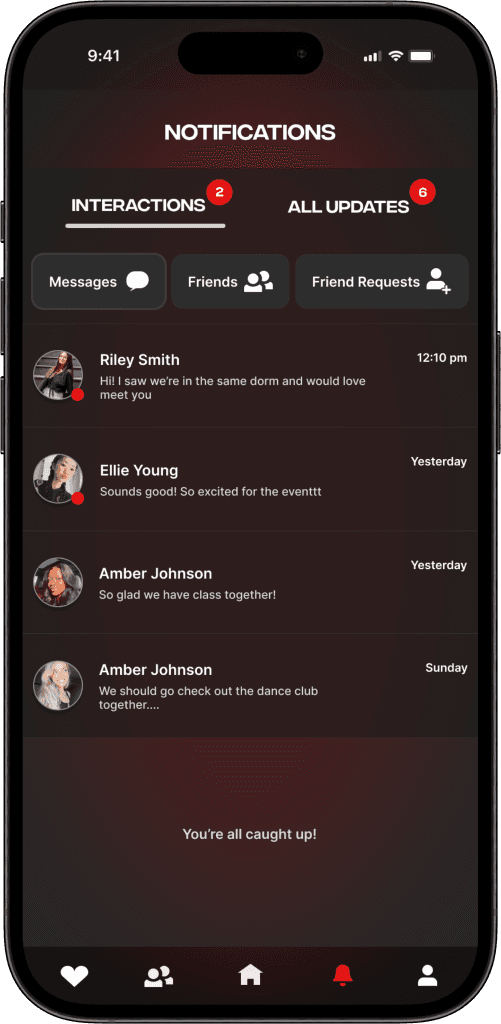
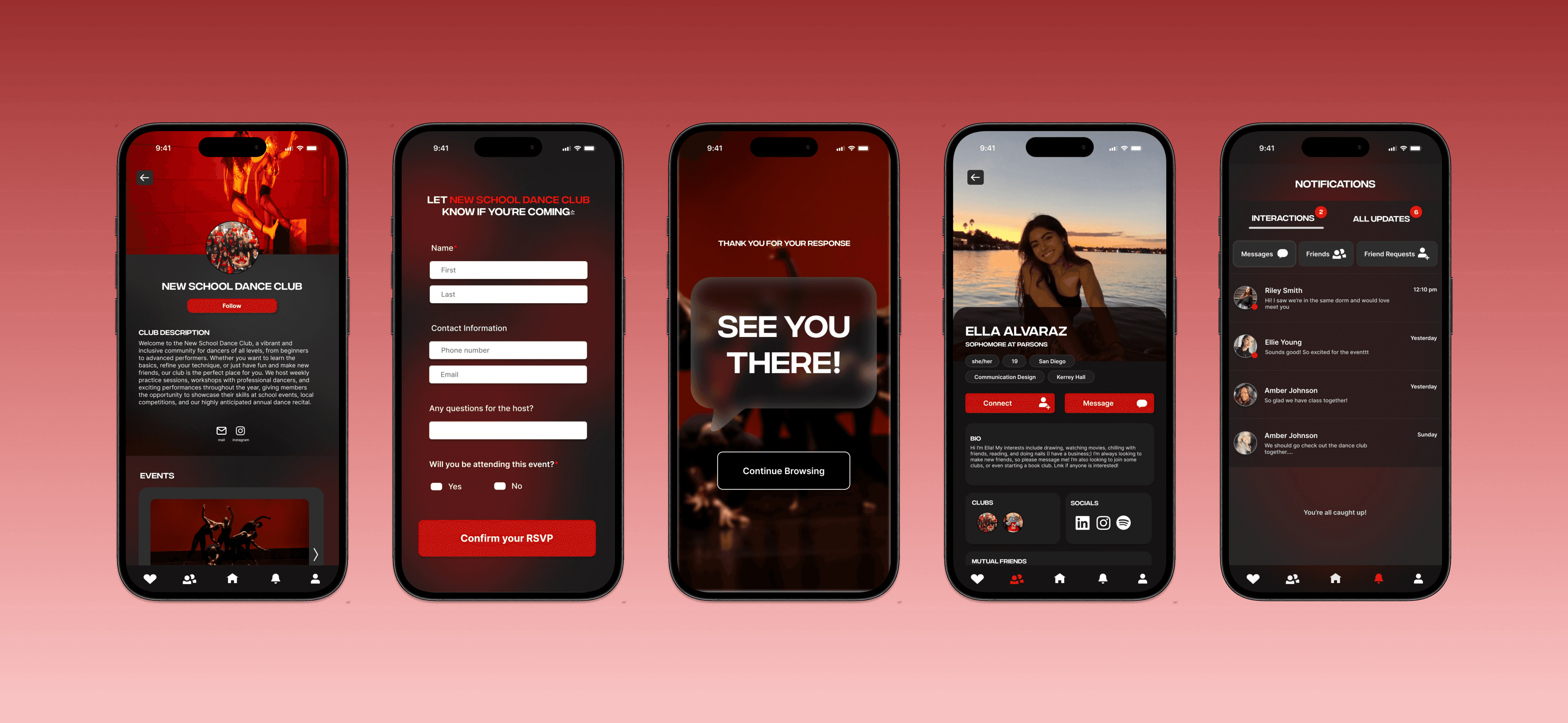
Connecting With Friends